Install Lire on your phone
Lire opens from the home screen like an app, without the browser’s address bar. Choose your phone:
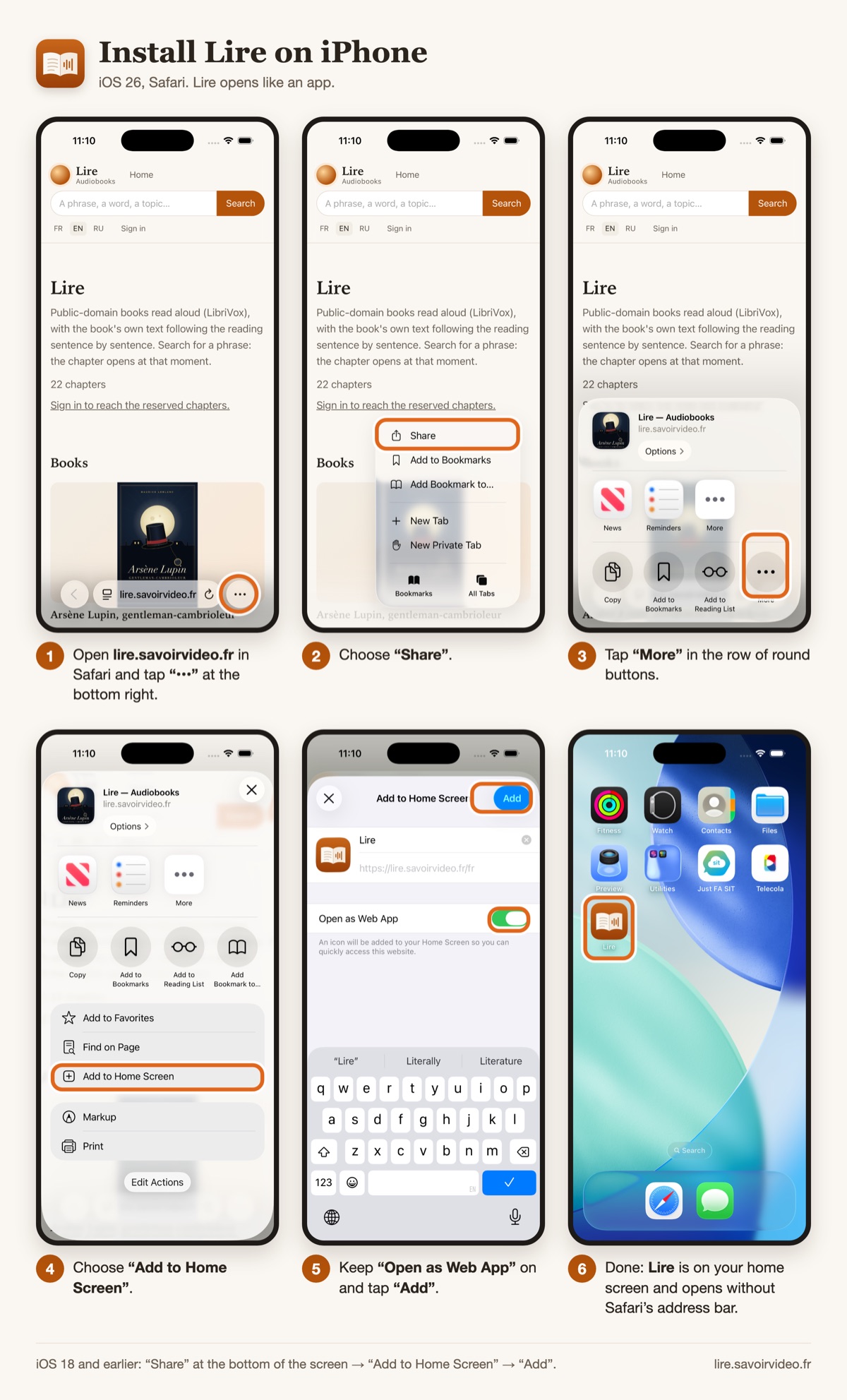
iPhone with iOS 26
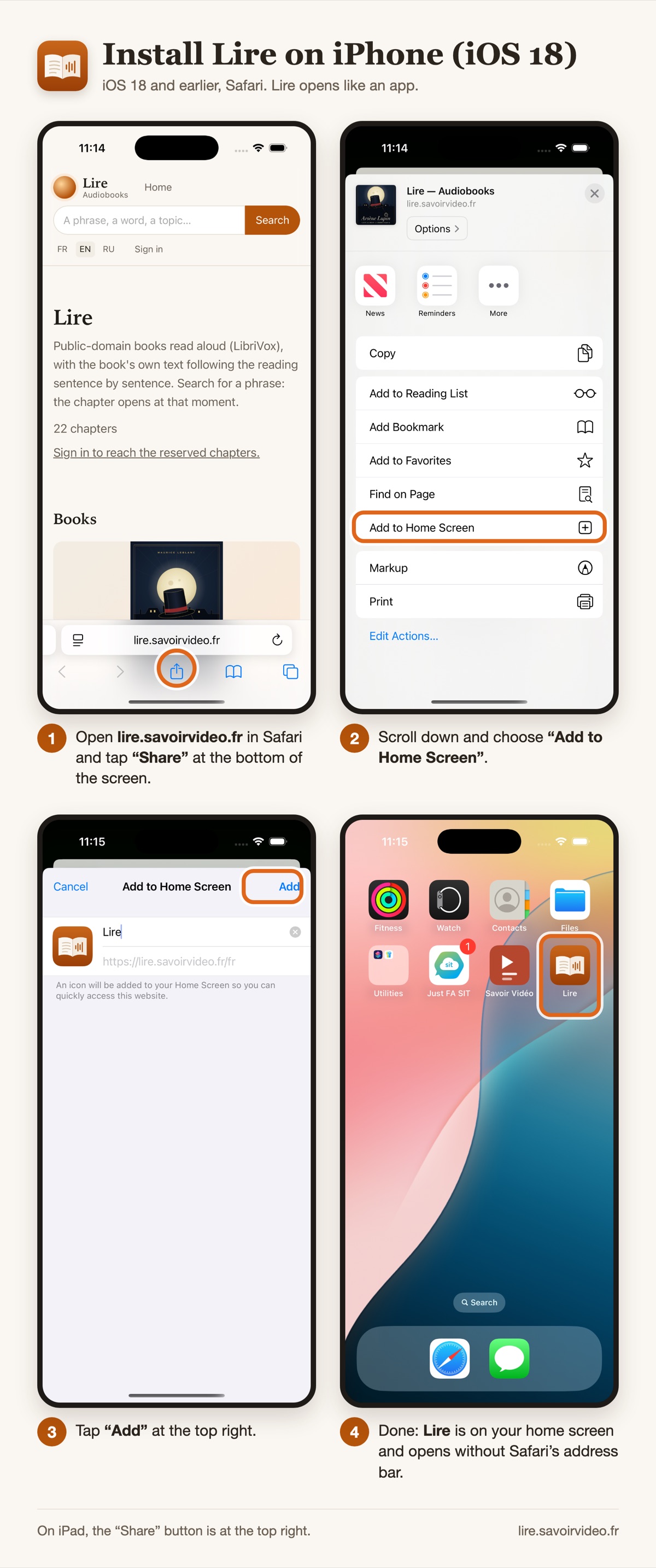
iPhone with iOS 18 or earlier
Android
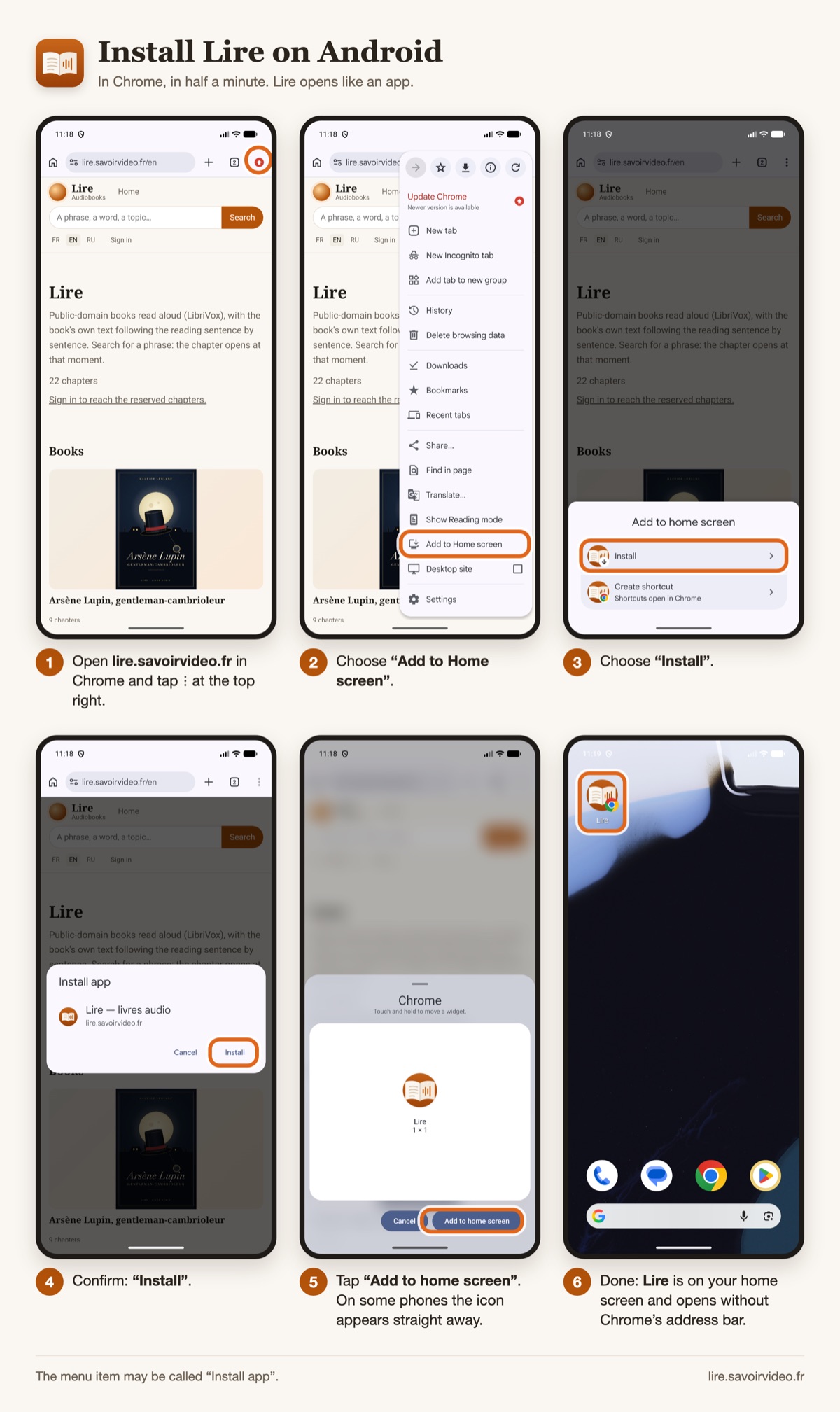
In recent versions of Chrome the menu says “Install and create shortcut”, then “Install”.